All features

Zero-Knowledge

Your data.
In your hands.

Privacy starts with architecture: financial data is decrypted on your device and stored encrypted. Your keys unlock the meaning of your transactions.

Free plan · €0 · No card required

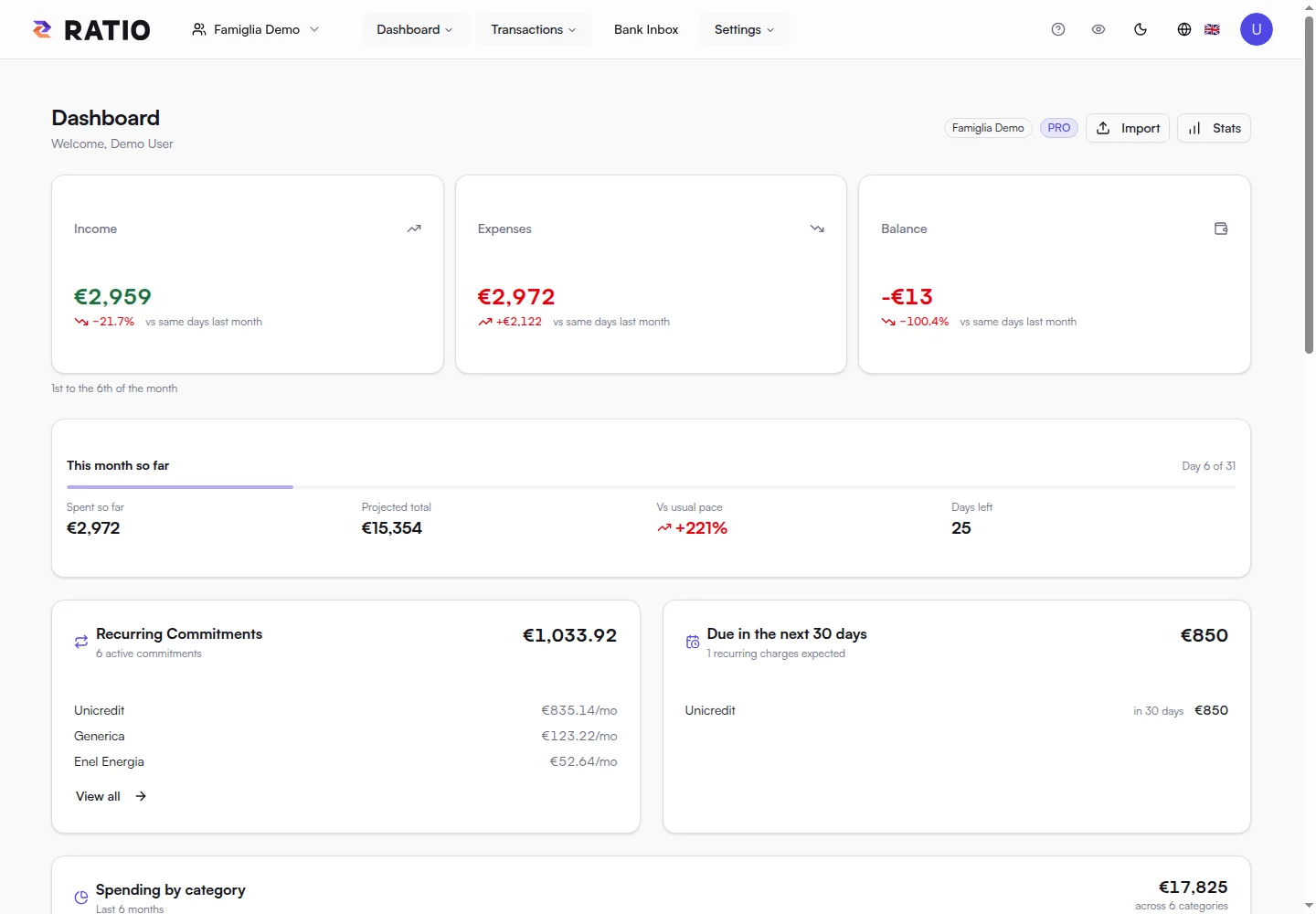
Dashboard in an authorised demo session: a readable view on the device.

Dashboard in an authorised demo session: a readable view on the device.

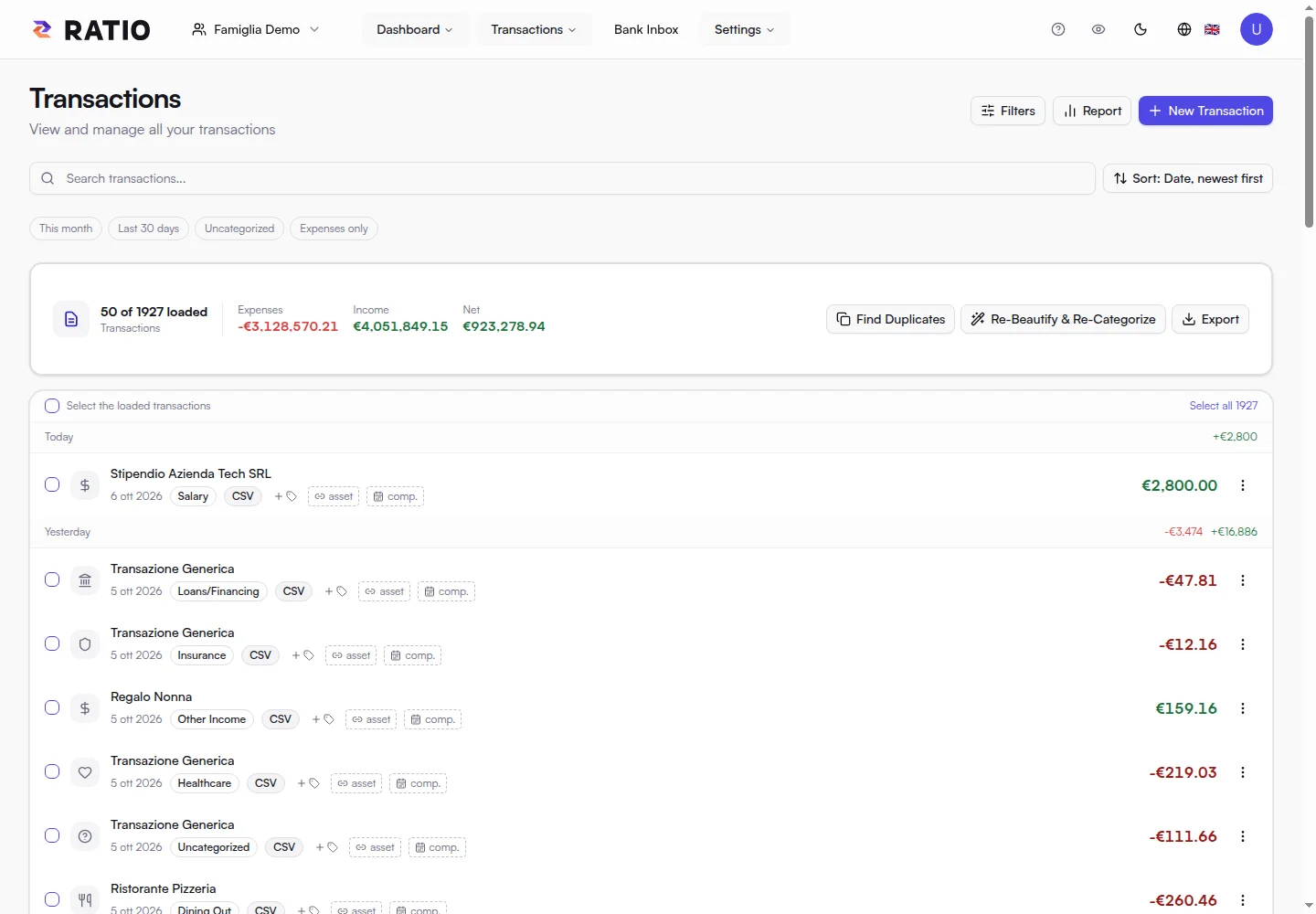
Real screens from the public demo. These views illustrate the product; Free availability and quotas are summarised at the bottom of this page.

Security and data management

The database stores the data. The key gives it meaning.

Even the Ratio team cannot read encrypted financial content from the database without your keys. Amounts, descriptions and categories are protected on your device before saving.

Follow a transaction from the document to your dashboard.

  1. 01

    The transaction is readable here.

    Your device reads it.

    The browser processes the file and shows a preview in your session.

  2. 02

    Before saving, I encrypt it.

    The key protects it.

    Financial content becomes an AES-256-GCM encrypted block on your device.

  3. 03

    I see an encrypted block.

    Ratio stores the block.

    The database saves encrypted content. Database access alone does not reveal what it says.

  4. 04

    In my session, it is readable again.

    Your key opens it.

    An authorised device retrieves the block and decrypts it for search, charts and transactions.

The comic illustrates the path of encrypted transaction content. Accounts, transaction dates and other operational metadata have a separate treatment, explained below.

What this means for the Ratio team.

Reading a database row does not reconstruct the amount, description, merchant or category inside the encrypted block. The Ratio team also needs decryption keys to make that content readable: administrative database access does not replace them.

The financial key is not stored in plaintext in the database. Materials needed to restore it are protected in encrypted form; an authorised session uses them to work with data on the device.

What the service can still see.

Zero-Knowledge covers encrypted financial content, rather than every database field. Ratio handles account data such as email and subscription, workspace membership, transaction dates, identifiers and sync versions.

This metadata enables authentication, authorisation and history replication. It can reveal structural information, such as a transaction’s existence and date. Hash indexes support operation without storing descriptions in plaintext.

Passwords, recovery and devices.

Use a strong password and keep your recovery code somewhere safe. The code is part of recovering key access: support cannot reconstruct encrypted content from the database alone.

An unlocked session contains readable data on the device. Machine and access security matter alongside encryption of stored history. Local AI devices are authorised separately and can be revoked.

History, synchronisation and AI.

Ratio synchronises the encrypted replica and builds readable views on your device. Free retains encrypted history without a time limit; search and statistics focus on the most recent 18 months.

An authorised MCP server can decrypt data locally for your model. With a local model, analysis stays in the environment you configure. If you choose an external AI provider, it also processes the data you send. Database encryption does not replace this choice.

In practice

Clarity for you. Encryption for your history.

Dashboard and transactions are readable in your authorised session. Server-side history stores financial data encrypted.

01

The browser works on your data.

Statement reading and rule processing happen in the browser. An authorised session decrypts transactions to build searches, charts and financial views.

Amounts, descriptions and financial categories are part of encrypted content. The server also stores operational metadata needed for accounts, workspaces and synchronisation.

02

The key makes the difference.

Your password and recovery code are part of your path to data access. Keep the recovery code somewhere safe: it matters for regaining access to encrypted history.

Encryption protects stored financial data. An unlocked session makes it readable on your device, where you can view and work with it.

03

Integrations have a clear boundary.

Bank Connector and the MCP server are local programs authorised by you. For Local AI, a paired device receives access to keys through the pairing flow.

You can choose a local model. If you connect an external AI provider, data supplied to the model is also processed by that provider: your model choice determines where analysis happens.

Your next step

From access to understanding.

  1. 01

    Unlock the session with your credentials.

  2. 02

    Read decrypted data on your device.

  3. 03

    Save financial data encrypted.

Your deviceEncrypted financial data

Ratio Free

Start with what matters.

Import your statements or link up to two accounts through your local Bank Connector, then see where your money goes.

Start for free
  • 1 personal or family workspace
  • Local import of compatible text PDFs, CSV and XLSX files, up to 5 MB per file
  • Classification rules, transaction search and editing
  • Dashboard and charts for income, expenses and categories
  • Financial data encrypted on your device before storage
  • Bank Connector for up to 2 accounts linked from your local daemon
  • One Local AI device for private analysis
  • Encrypted history retained with no time limit (search and statistics cover the latest 18 months)

Your encrypted history stays stored without a time limit, while Free search and statistics focus on the latest 18 months.